Project
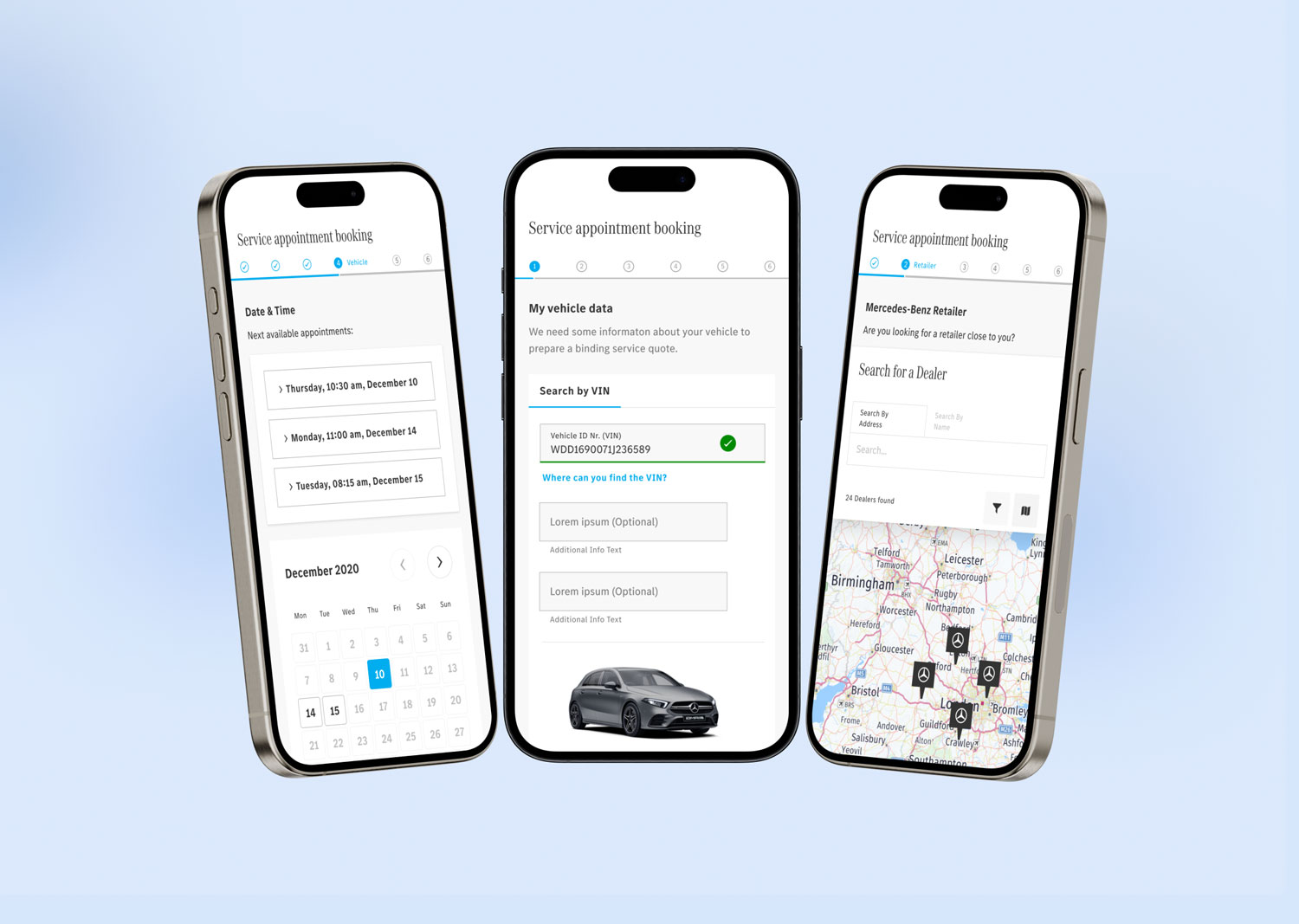
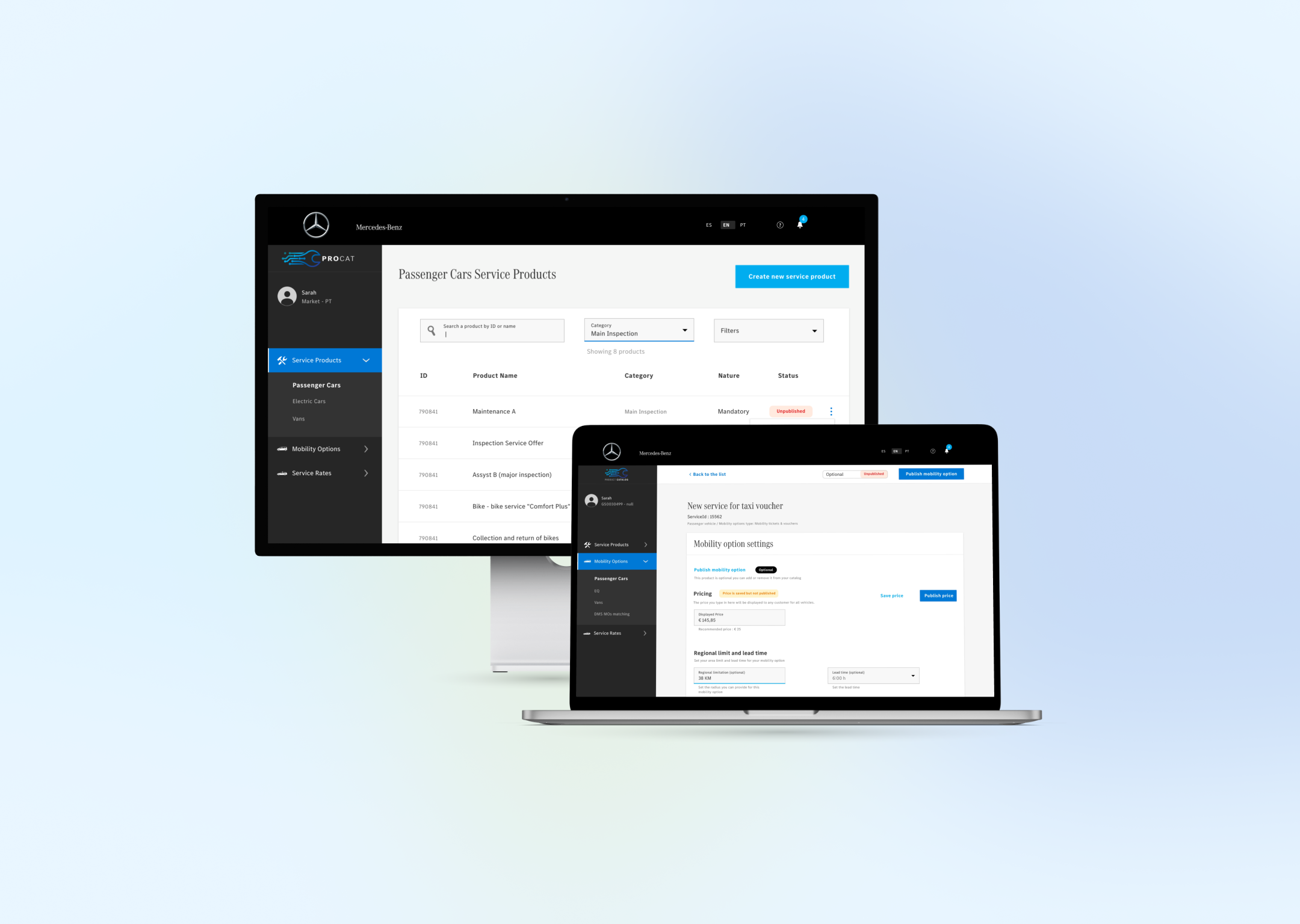
The product catalog platform has been tailor-made for Mercedes dealerships worldwide, enabling dealerships in various countries to customize their service offerings for end customers. Moreover, the corresponding application designed for end customers allows them to conveniently request service for their vehicles.
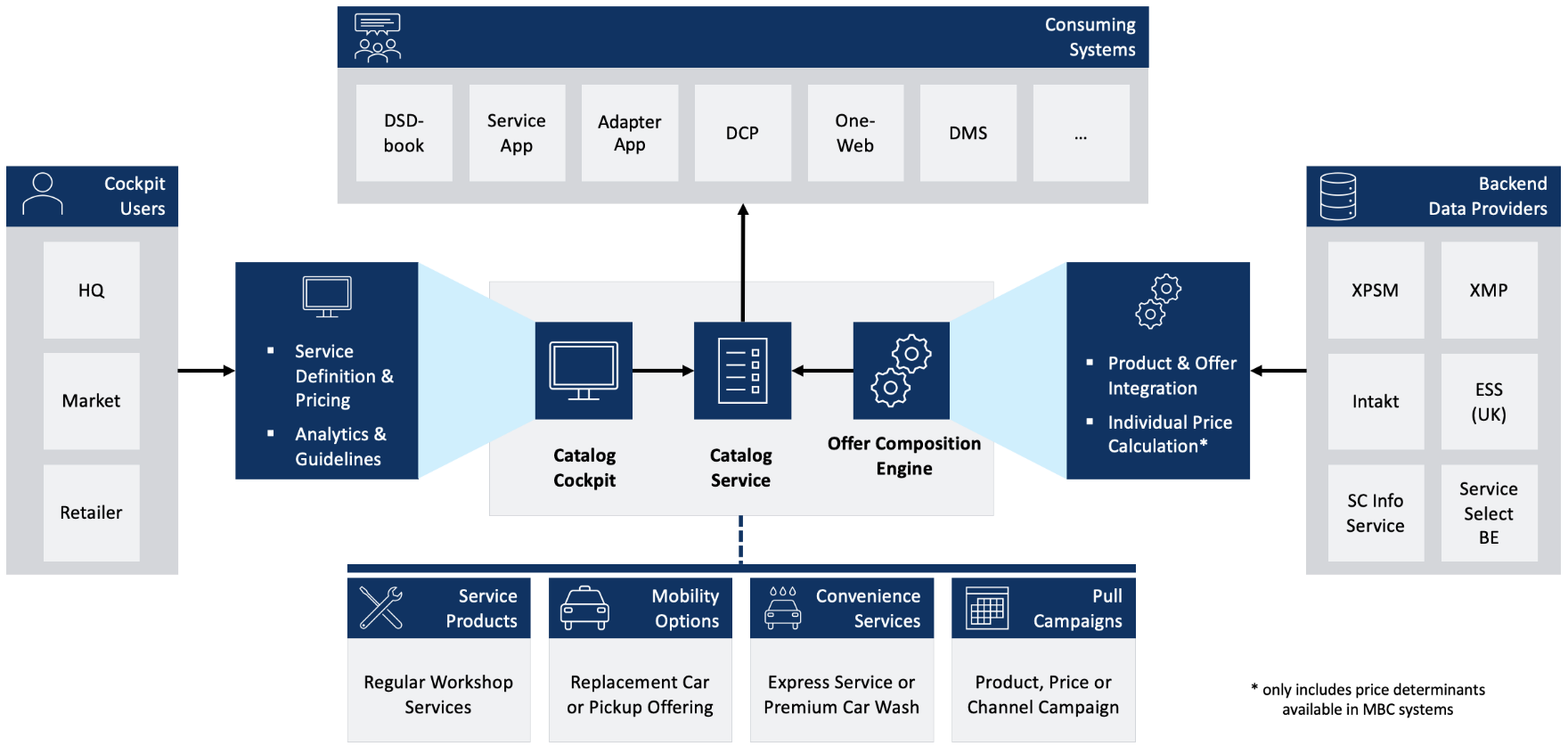
The project is part of a more extensive set of related apps working together in the Mercedes-Benz environment.
My role
- Senior Product Designer/ Team lead
- Responsible for all the processes of design, from problem space definition to design implementation
- Creating the ecosystem mapping for the product
- Conducting user interviews with different user target groups
- Lean UX (Think, Design, Measure)
Objective
The main goal was to understand the actual pain points of the Mercedes dealership ecosystem
And provide a universal solution for all dealership partners to set up and maintain their service products
Research methods
- Customer interviews
- Participatory design
- Clickstream testing
- Surveys
- Remote moderated testing
- Experience mapping
- KPI performance
One catalog for dealerships in every country. Flexible enough for each market, consistent enough for one brand.
01 Tension
Every dealership had its own way of working
The product catalog platform is built for Mercedes-Benz dealerships worldwide, so each country can customise its service offering for end customers. A matching application lets customers request service for their vehicle. It is one part of a larger set of apps that work together in the Mercedes-Benz environment.
The challenge was a unified solution for diverse dealership partners: different markets, different pain points and different operational complexity.
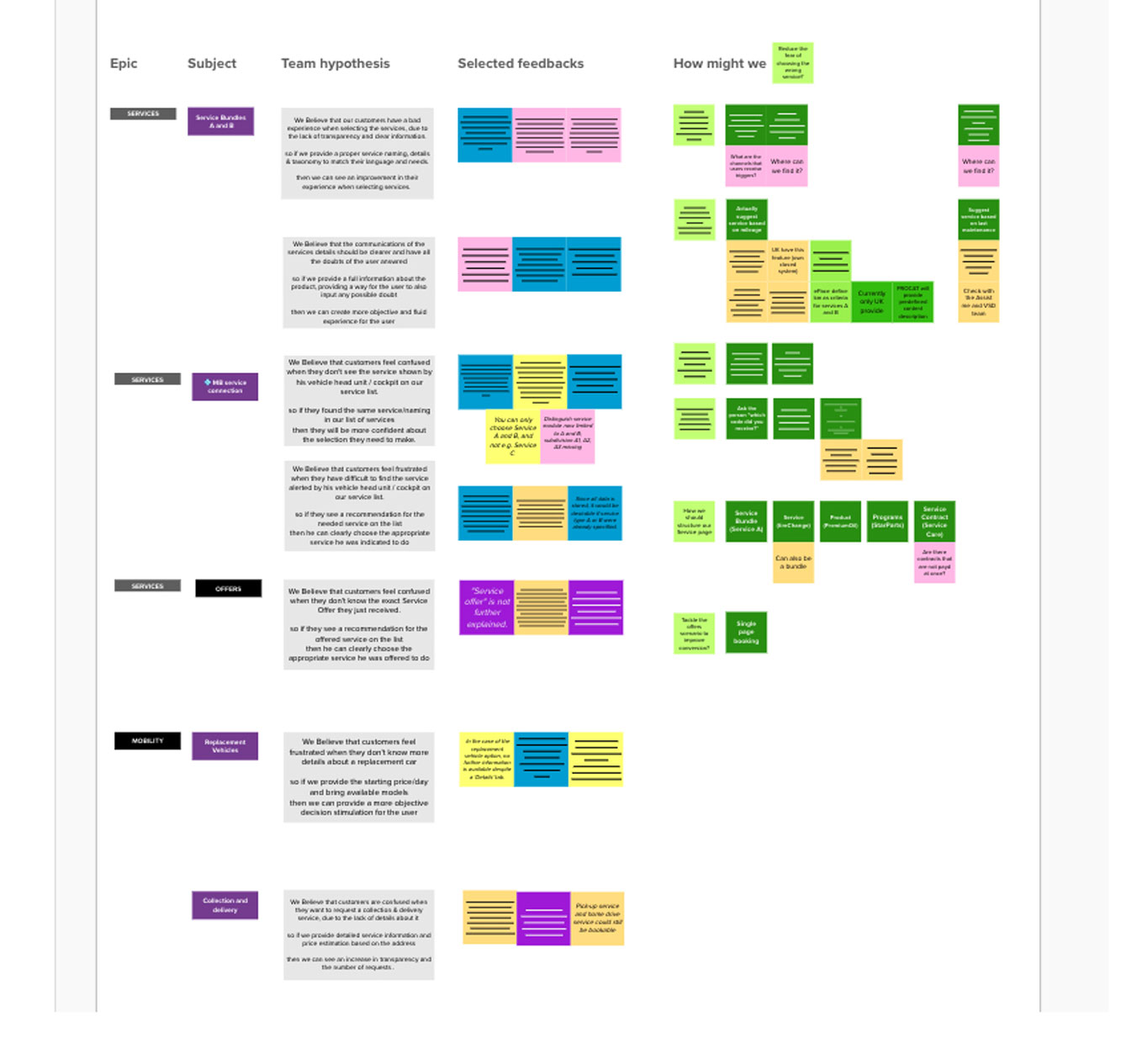
Interviews, experience mapping and participatory design with dealership staff, internal teams and end customers surfaced three problems:
Complexity
The system was overly complex and needed manual updates for every service product. Task flows were long and confusing.
Inconsistency
Dealerships in different regions struggled with inconsistent pricing, and the lack of standard workflows caused inefficiency.
Data accuracy
Dealers found it hard to keep service information accurate, which affected the customer experience.
02 Method
Lean UX: think, design, measure
01
Think: map the ecosystem from interviews, understanding dealership workflows, internal processes, touchpoints and dependencies.
02
Design: build multiple prototypes and wireframes and test them with remote moderated usability sessions with dealership staff and customers.
03
Measure: test the final design with clickstream testing and questionnaires, to see how dealerships really used the platform.
03 Success
For a B2B platform, defined carefully
Time on task
How long dealership staff take to configure offers or update product details. It shows where the interface slows people down.
Data accuracy
How often dealerships update their catalogs without errors, and how long it takes. Wrong prices or service details cost customers and brand trust.
Error frequency
Mistakes during data input and configuration. Fewer errors mean more confidence and less time spent troubleshooting.
04 Decisions
Two calls that shaped the product
Decision 01
Make the catalog scannable, and let prices vary where they have to
Context
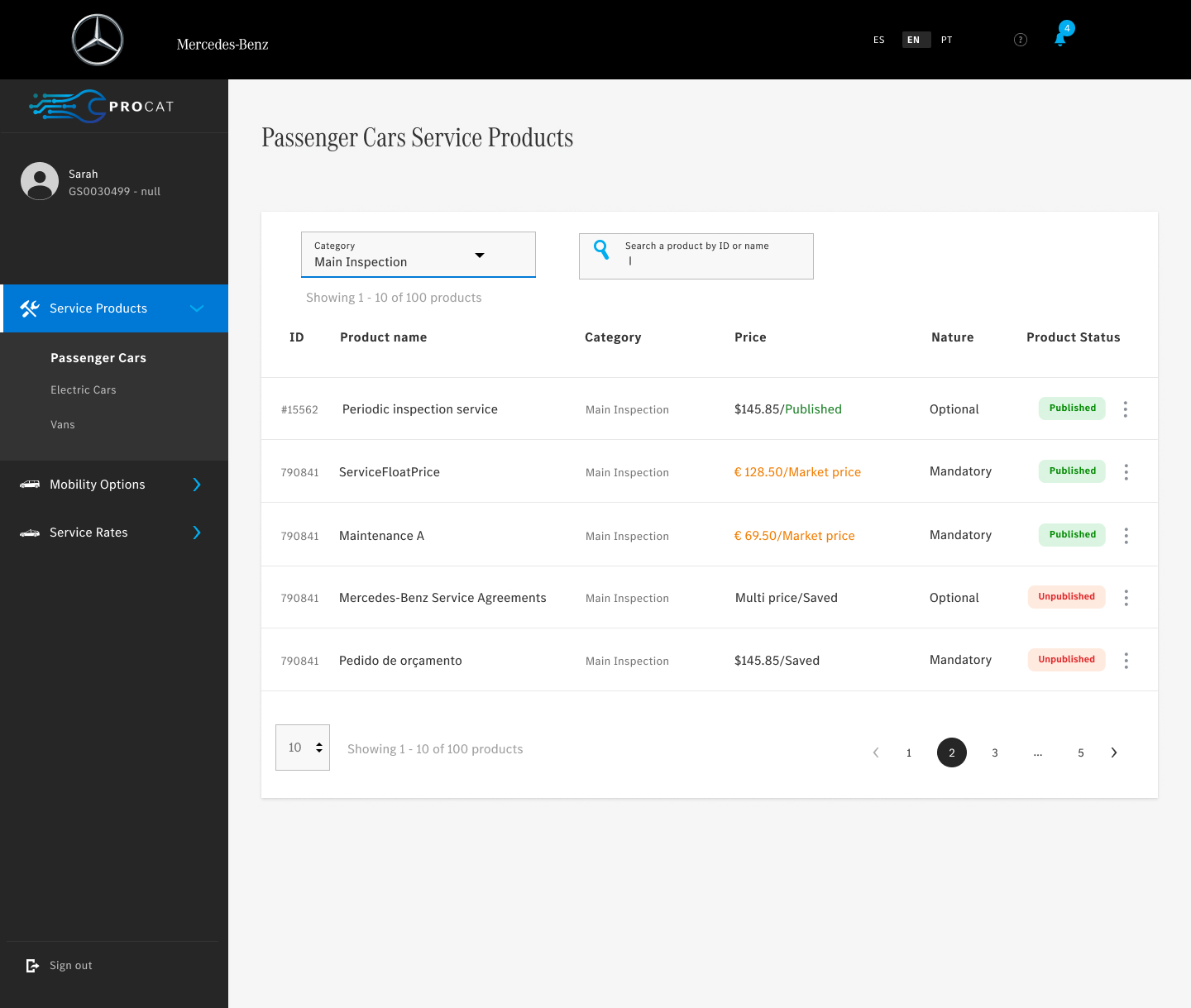
Dealers manage many service products, each with its own status, category, nature (mandatory or optional) and pricing model.
The call
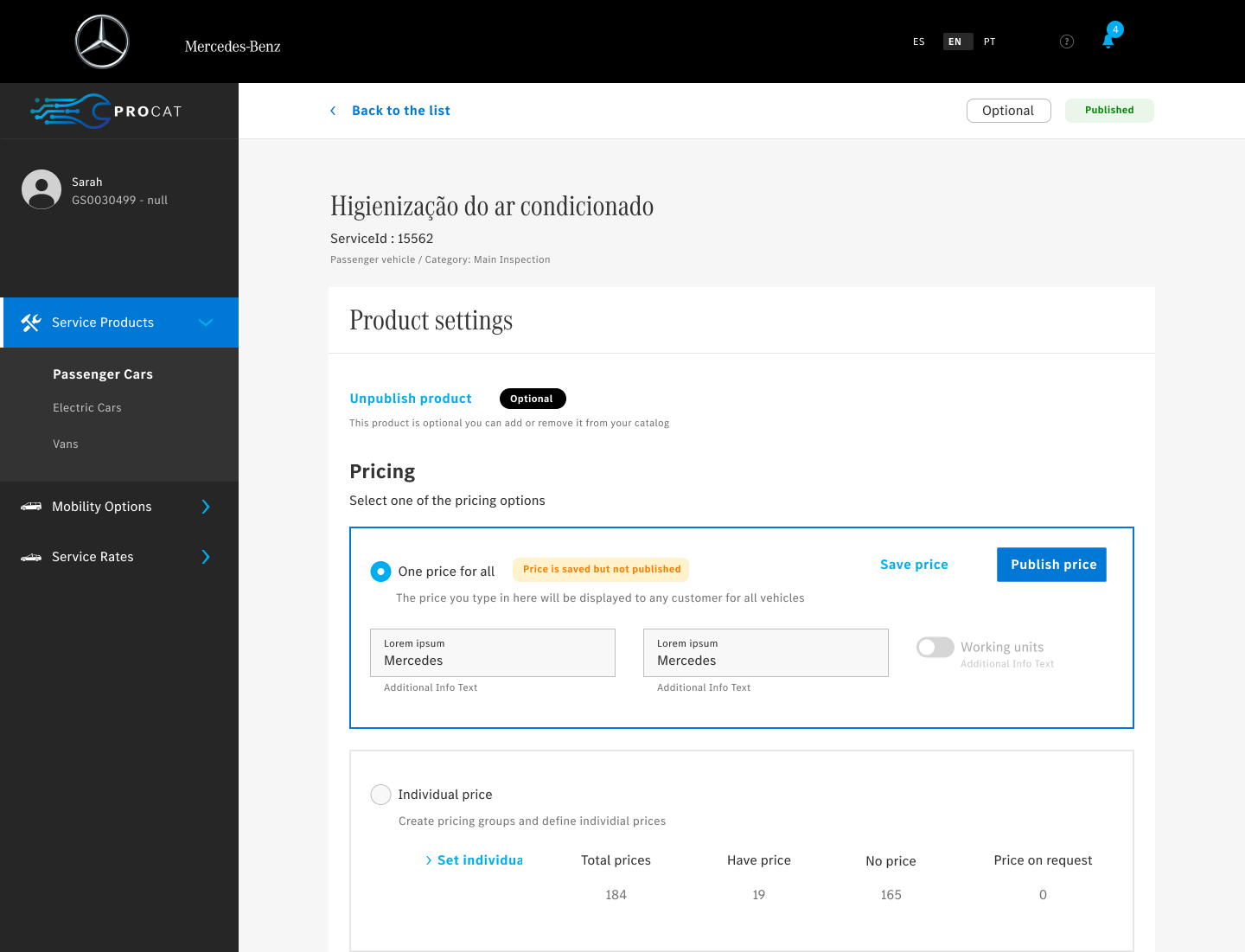
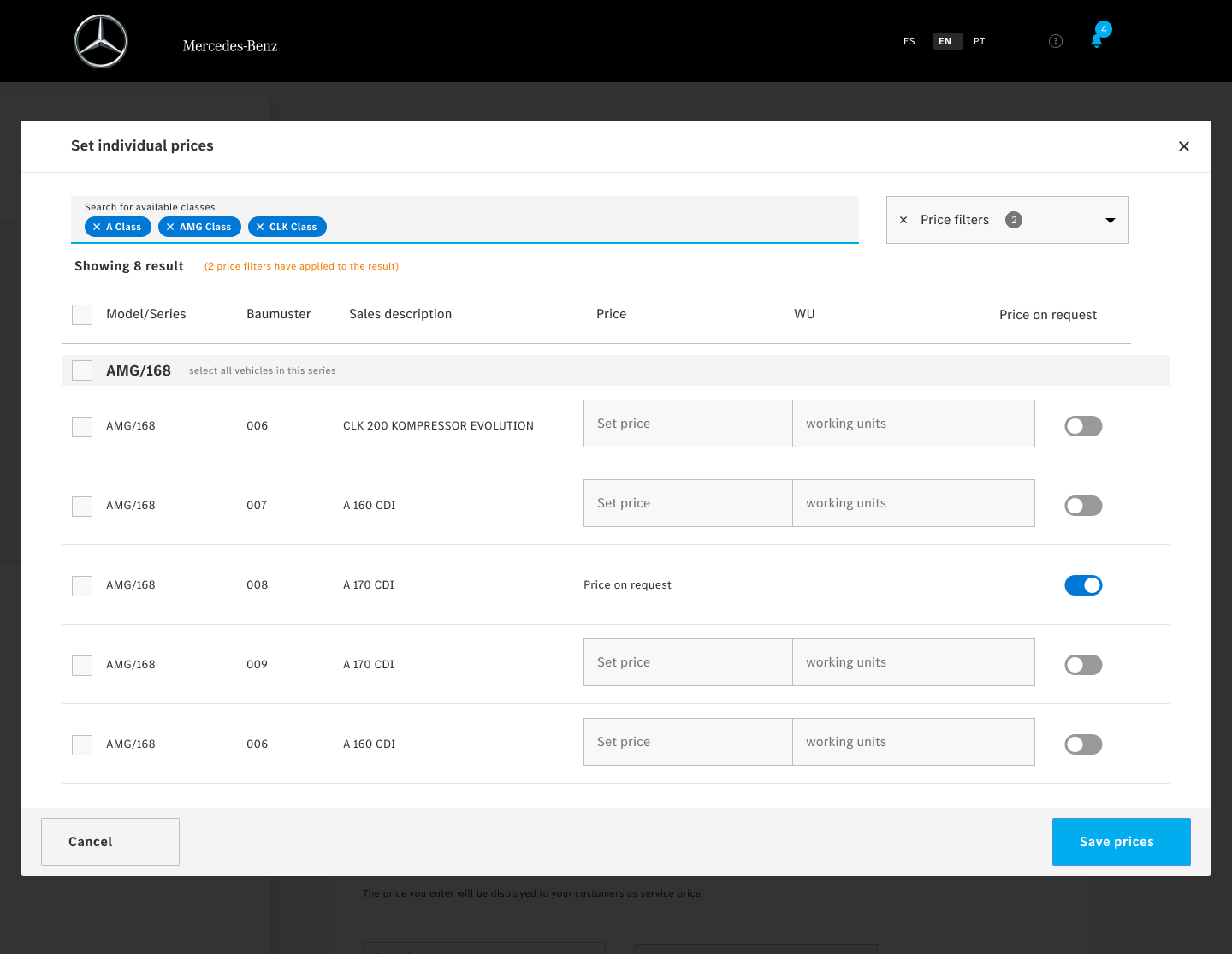
A listing with category filter, search, clear published and unpublished states and price types, a detail page, and a dedicated pattern for multiple prices.
What it did
Dealers can see what is live and what is not at a glance, and manage products without long task flows.
Decision 02
Match legacy services to the new catalog, side by side
Context
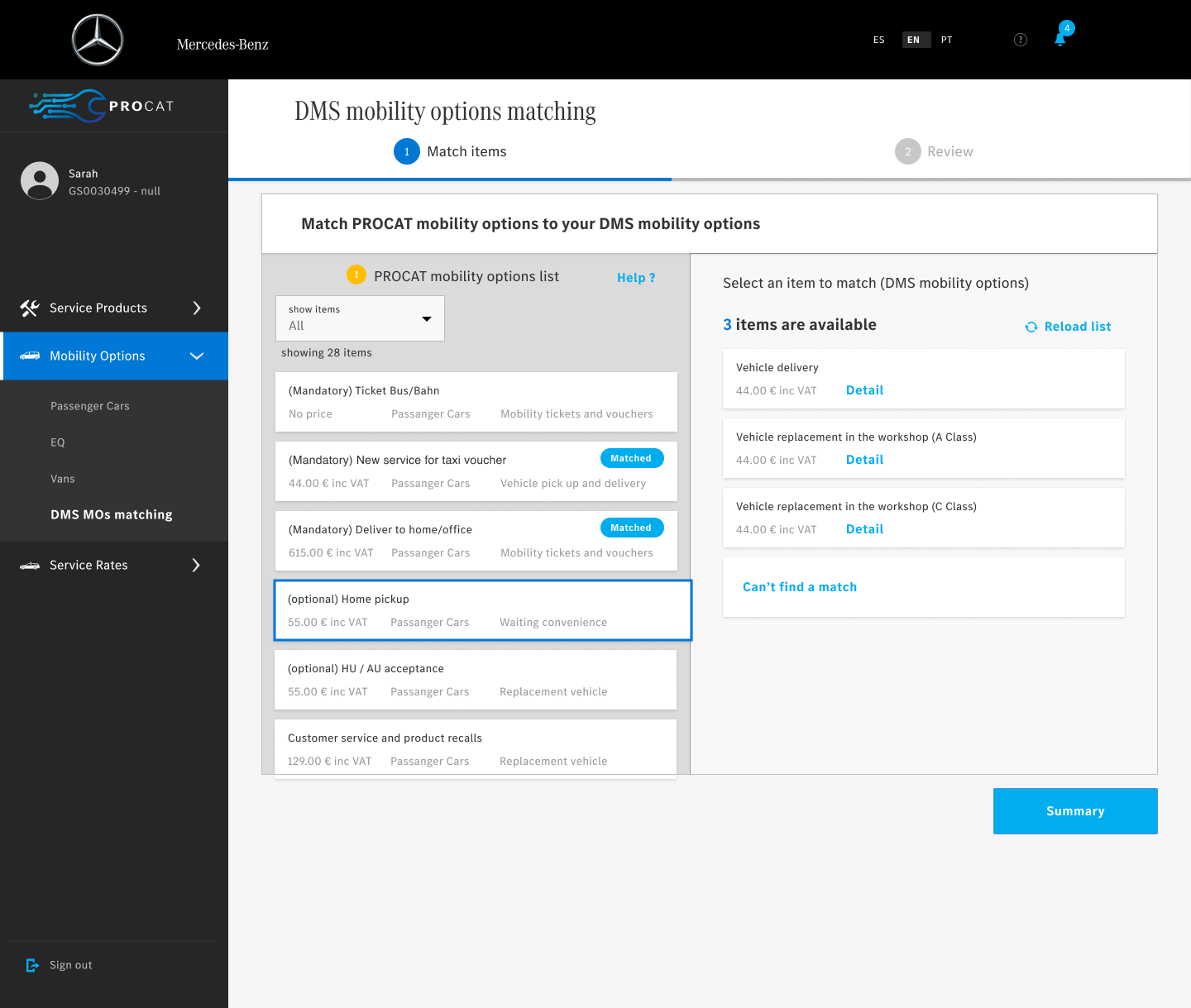
Each dealership’s custom service setup in the legacy DMS had to be matched manually to the standard services in the new catalog. With many services and complex legacy data, that could easily become overwhelming and error-prone.
The call
A side-by-side layout: catalog options on one side, legacy DMS services on the other. One click links a legacy service to its new service, and a clear “Matched” tag shows what is done.
What it did
No complex navigation and less cognitive load. Usability testing confirmed the approach and helped cut clicks, so users finished faster, with more accuracy and confidence.
Next
A system that fits every market.
The catalog gave dealerships one way to set up and maintain their service products, without losing what makes each market different.